Onramp Money: How to buy crypto with VND via Viet QR on Bitget
2024-04-03 02:5603071
Before starting, make sure to complete
identity verification for
VND deposits, or your payments won't be successfully processed.
Website:
Step 1: Log in to Bitget > Click
Buy crypto at the top > Select
VND > Select
VietQR
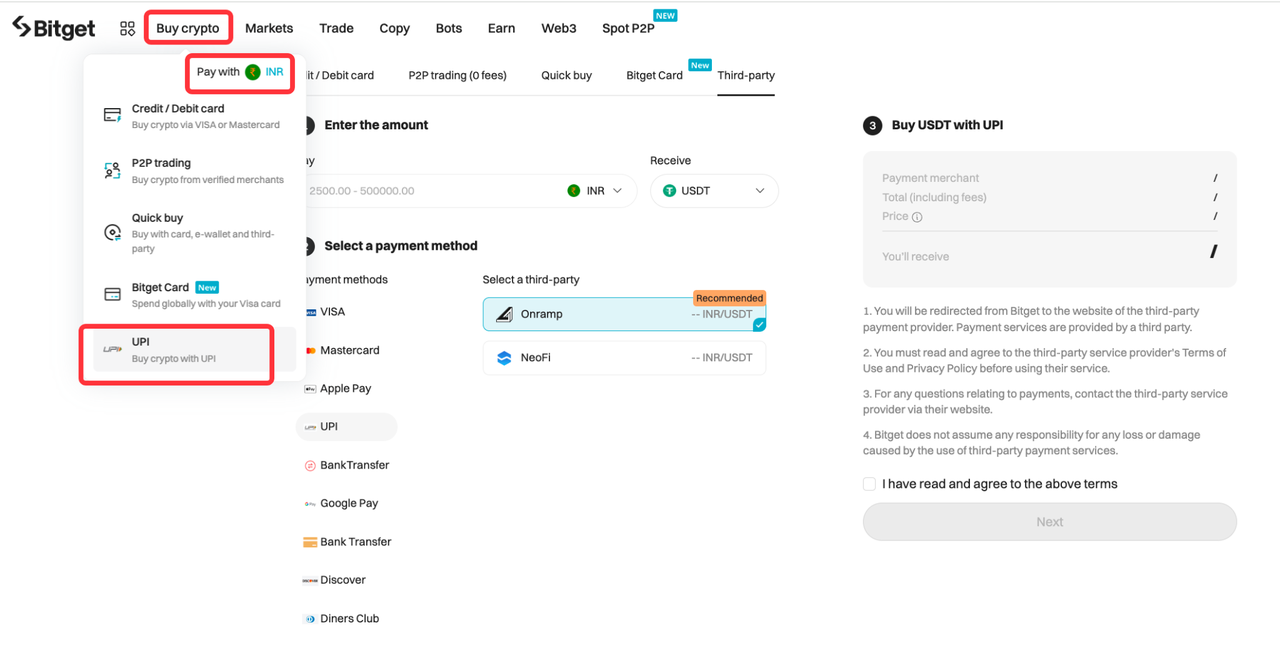
Step 2: Select
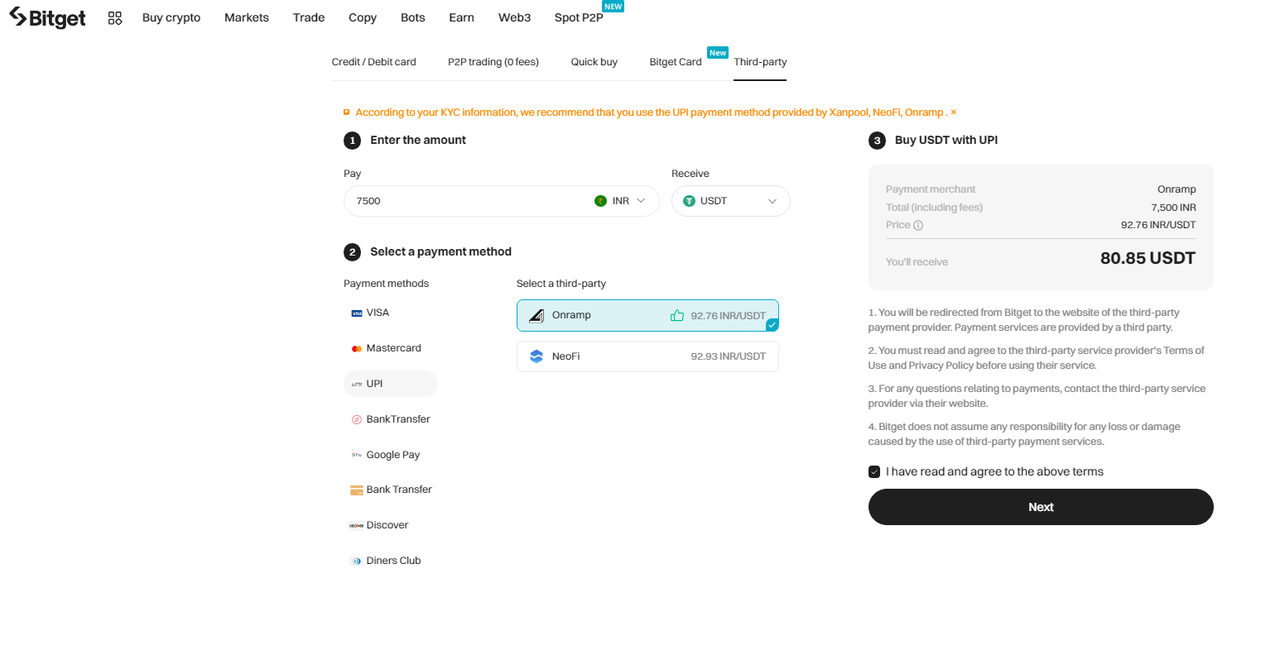
Onramp > Input the desired amount > Select the crypto you want to buy > Read and agree to the terms > Click
Next.
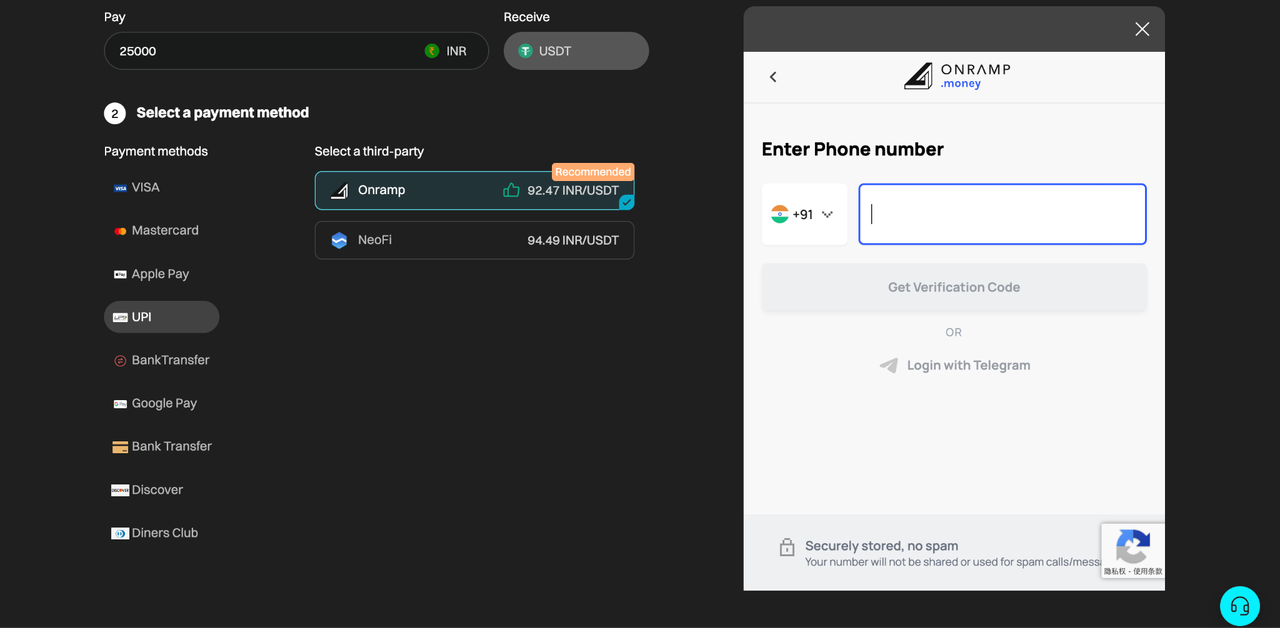
Step 3: The integrated window (Onramp–Bitget) is located on the right side of this page. Note: If you have already registered with Onramp, please log in to your account to proceed; otherwise, make sure to sign up and complete identity verification with Onramp before proceeding.
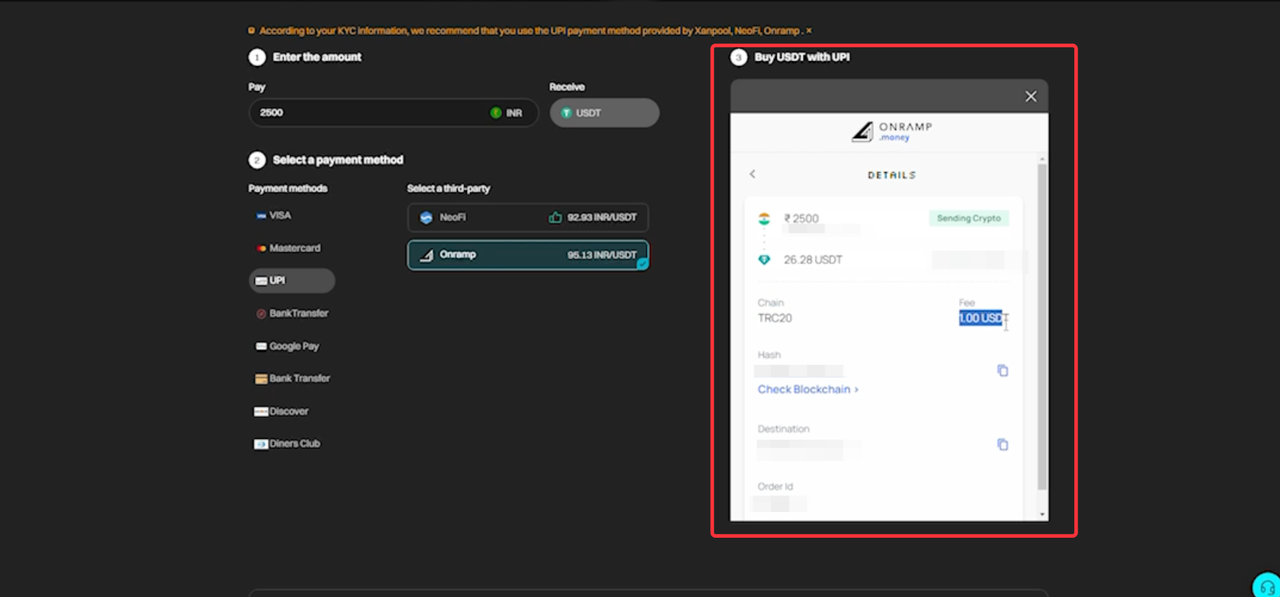
Step 4: After the payment is successfully processed, the order details will be displayed as shown in the screenshot. You will then receive the corresponding
cryptocurrency in your Bitget spot account.
App:
Step 1: Log in to the Bitget app > Tap
Add funds at the top right corner > Select
VietQR
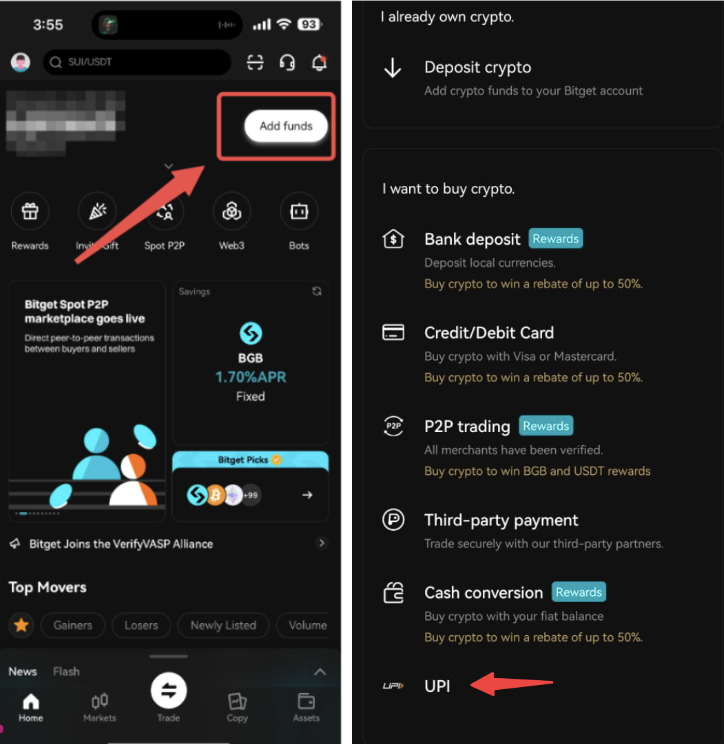
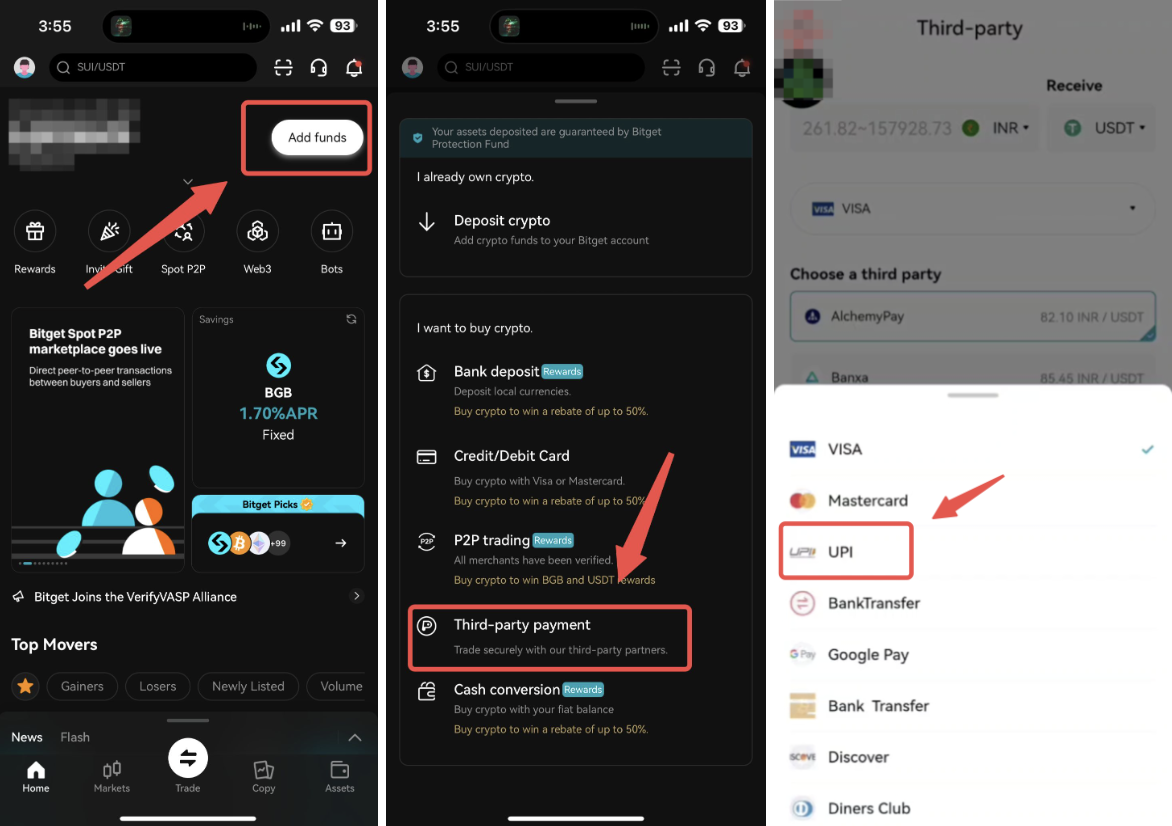
Alternatively, tap
Add funds at the top right corner > Select
Third-party payment > Select
VND before selecting
VietQR
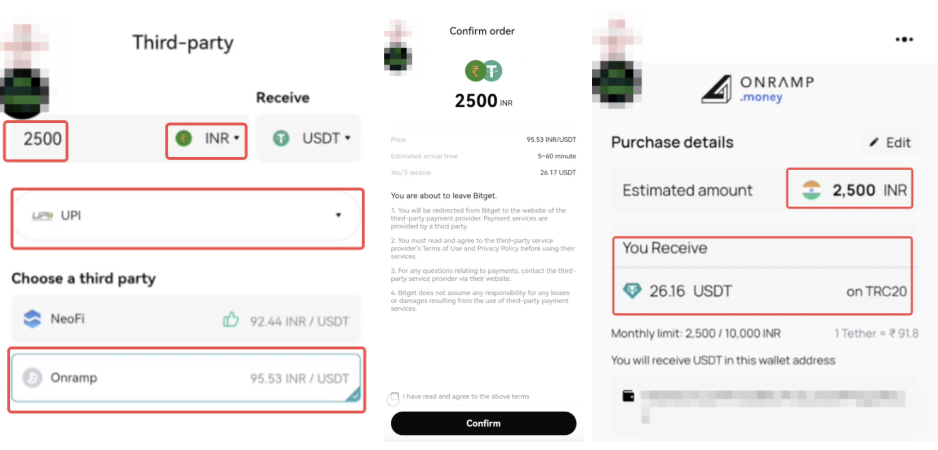
Step 2: Input the
VND amount after selecting your desired cryptocurrency > Choose
Onramp to proceed > Click
Confirm to view the order details on Onramp.
Note: If you have already registered with Onramp, please log in to your account to proceed; otherwise, make sure to sign up and complete identity verification with Onramp before proceeding.
Step 3: After being redirected to Onramp, choose your preferred payment method > Tap
Make Payment > Proceed to pay the amount in
VND.
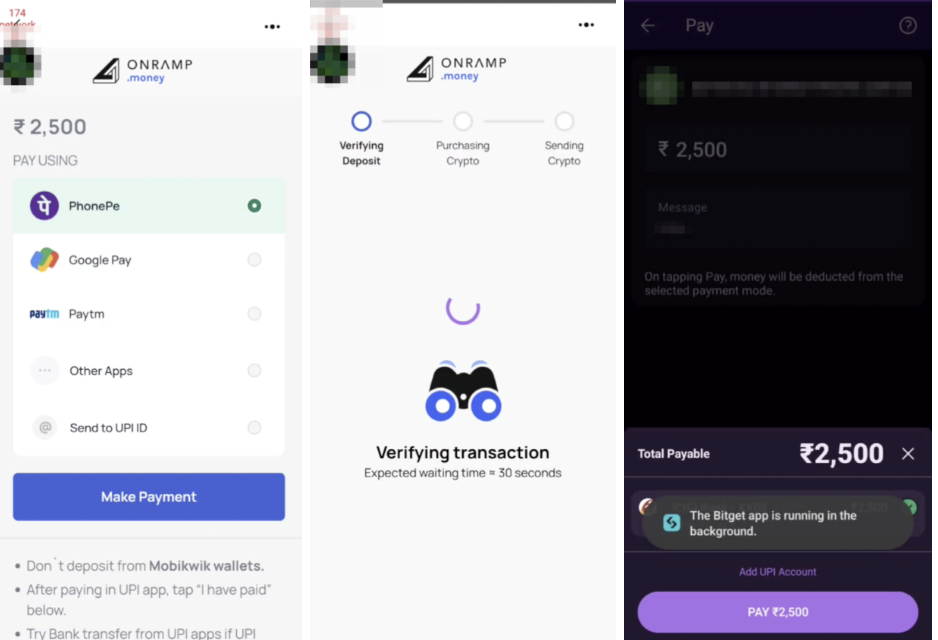
Step 4: Your order will be paid from your selected payment method on Onramp, and you will then receive the corresponding cryptocurrency in your Bitget spot account.
Join Bitget, the world's leading crypto exchange and Web3 company.
Share