
How to Verify Your Bitget Account in South Africa: A Step-by-Step KYC Guide

Prerequisites:
- Download Bitget application on Playstore or app store
- Prepare your National ID, or Passport
- Ensure you have proper lighting for accuracy of KYC information
Introduction
Why KYC Matters in Crypto? In the fast-growing world of crypto trading, trust and security are everything. Whether you're just getting started or are already trading on platforms like Bitget, verifying your account through KYC (Know Your Customer) is essential. For South African users, this process is streamlined and simple while keeping your funds and data safe.
Verification isn't just about regulation; it's your gateway to higher withdrawal limits, seamless deposits, and access to exclusive features like P2P trading, Futures, Earn, and more. Here’s how to complete your Bitget KYC verification in just a few minutes.
Step 1: Download and Set Up the Bitget App
To begin, download the Bitget app from your preferred store:
Google Play Store (Android)
Apple App Store (iOS)
|
|

Once installed, open the app and tap Continue, then Get Started.
|
|
|
|


You’ll be prompted to create an account. Bitget offers flexible sign-up options:
- Email and password
- Phone number
- Social login via Google, Apple ID, or Telegram
|
|
|
|


Tip: For best security, use a strong password that includes uppercase and lowercase letters, numbers, and symbols.
After signing up, you’ll receive a verification code in your email. Enter that code to activate your account. At this stage, you can also enable biometric login for added convenience and safety.
|
|
|
|


Step 2: Begin the Verification Process
Once you’re inside the app, click the "Verify" button on the homepage.
You will need:
- A valid government-issued ID (National ID card or Passport)
- A few seconds for facial recognition
|
|
|


Now tap "Verify Now" and select your country:
- Country of residence: South Africa
- Document issuing country: South Africa
Then choose your document type:
- National ID Card
- Passport
Make sure you confirm you live outside the United States to proceed.
|
|
|
|


Step 3: Upload Your Identification Document
The app will prompt you to take and upload two photos:
- A clear photo of the front side of your ID
- A clear photo of the back side of your ID
Pro Tip: Ensure your ID is valid (not expired), unaltered, and free from any glare or shadows. The text should be fully legible.
|
|
|


Step 4: Complete Face Verification
Next comes the facial verification. Center your face in the provided frame and maintain a neutral expression while the app scans your features.
To increase approval chances:
- Be in a well-lit room
- Avoid wearing hats, glasses, or masks
- Keep your phone steady during the scan
Face verification usually takes just a few seconds to process.
|
|
|


Step 5: KYC Tips for South African Users
Before you hit submit, keep these points in mind to avoid common mistakes:
1. Use original documents only – no scans or laminated images.
2. Photos must be clear – avoid blurry or low-light submissions.
3. ID must be valid – expired IDs will be rejected.
4. One account per person – duplicate KYC details are not allowed.
5. Face must match ID photo – make sure you’re using your own ID.
Step 6: Confirmation and Access
Once you’ve completed all the steps, your Level 1 KYC verification will be reviewed. In most cases, this takes only a few minutes.
|
|
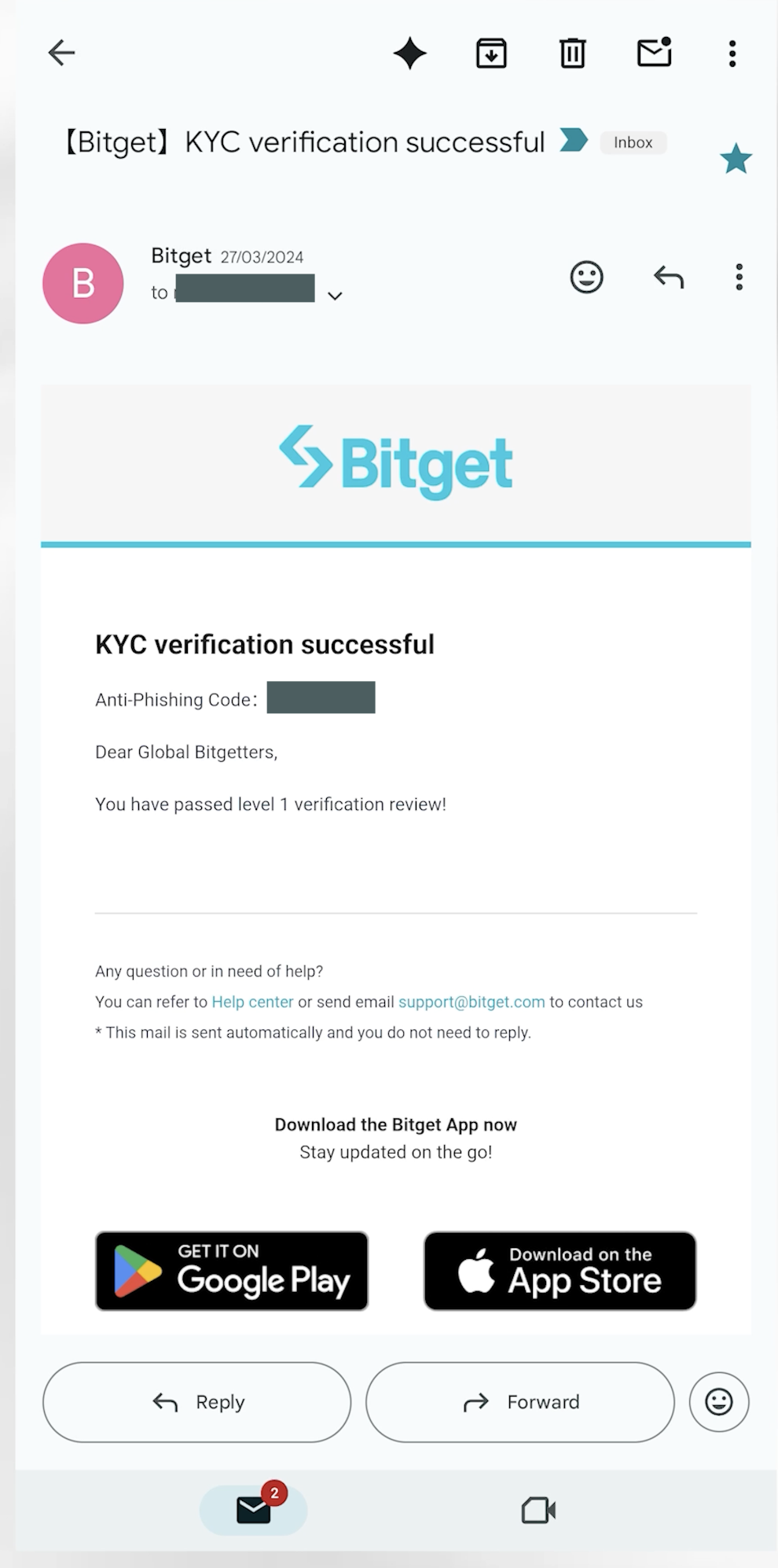
You will receive an email once your verification is approved.
After verification, you can:
- Start buying and selling crypto
- Access full features on the Bitget app
- Use P2P to deposit or withdraw South African Rand
- Trade securely with peace of mind
Conclusion
Start Your Crypto Journey with Confidence Verifying your Bitget account is the first step to unlocking the full potential of crypto trading in South Africa. With a fast and user-friendly process, you’ll be ready to explore everything Bitget has to offer, from earning USDT on your holdings to secure on-chain swaps and seamless fiat deposits. Stay verified. Trade smarter. Welcome to Bitget South Africa.
For more tips and tutorials, visit Bitget Academy or follow our regional updates for Africa.
 2025-08-08
 How to verify Your Bitget Account in Kenya: A Step-by-Step KYC Guide
 Crypto trendsBitget Stock Futures vs US Stock Trading in ItalyItalian investors who want exposure to US markets usually choose between two paths. They can buy shares through local brokers on Euronext Milan or foreign exchanges, or they can trade USDT based stock futures on Bitget. This article explains what each option means in practice so readers can decide which route fits their own goals. How Italian users usually trade US stocks Most Italian investors start with domestic or European brokers. These platforms route orders to Euronext Milan or directly2025-12-03
- Crypto trendsBitget Stock Futures vs US Stock Trading in PolandPolish investors who want exposure to US markets usually choose between two paths. They can buy shares through local or European brokers on the Warsaw Stock Exchange (GPW) and foreign exchanges, or they can trade USDT based stock futures on Bitget. This article explains what each option means in practice so readers can decide which route fits their own goals. How Polish users usually trade US stocks Most Polish investors start with domestic or European brokers. These platforms route orders to2025-12-03
- Crypto trendsBitget Stock Futures vs US Stock Trading in CanadaCanadian investors who want exposure to US markets often see two main paths. They can buy shares through Canadian brokers on the Toronto Stock Exchange (TSX) and US exchanges, or they can trade USDT based stock futures on Bitget. This article explains what each option means so readers can decide which route fits their goals. How Canadian users usually trade US stocks Most Canadian investors start with domestic brokers. These firms route orders to the TSX for Canadian shares and to US venues fo2025-12-03
